EVERYTHING YOU WROTE
A home for every note.
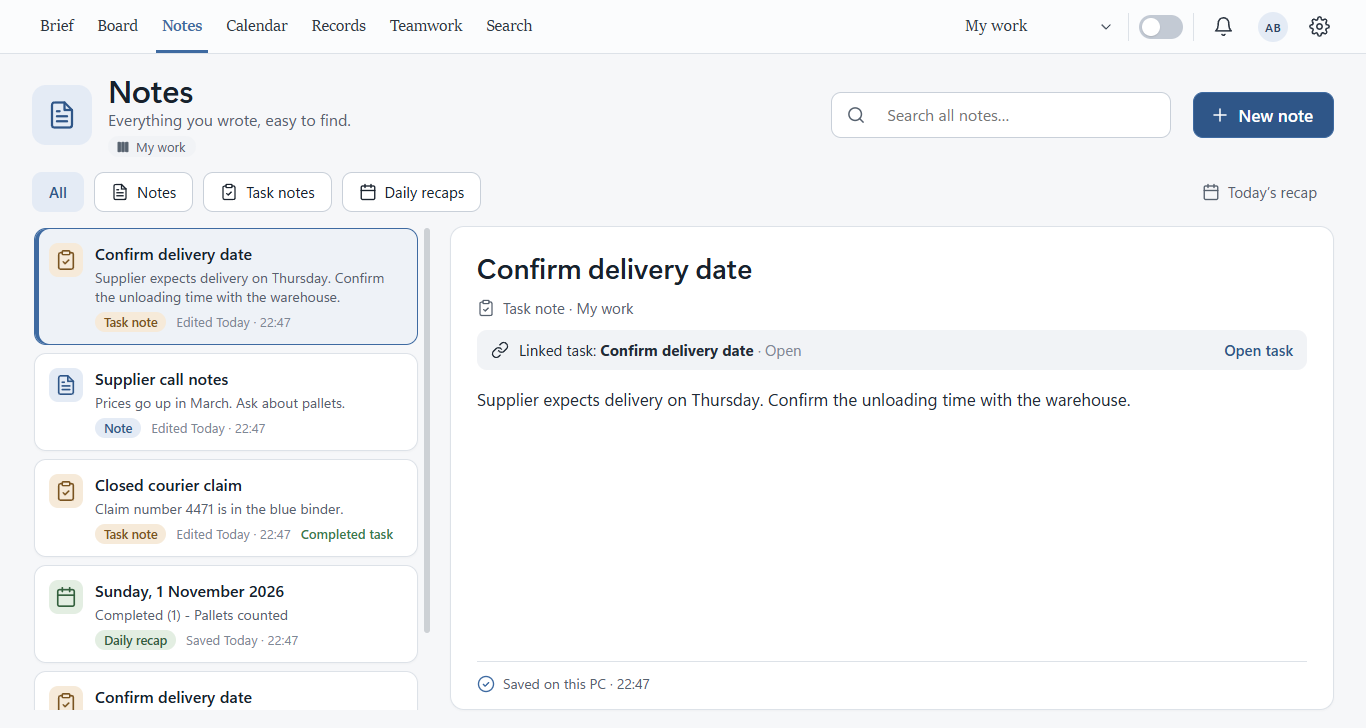
Quick thoughts, task notes and saved daily recaps. Search them together and return to the original.
A task to finish. A thought to keep. A next step to remember. Bring it all together in a workspace that makes room for your day.
Version 0.8.1 · Windows 10 or 11 · 115.8 MB
Start with the work that needs your attention, the reminders coming up and the context to carry on.
Work rarely arrives neatly organised. Give each thought, task and follow-up a place—and a clear way forward.
Quick thoughts, task notes and saved daily recaps. Search them together and return to the original.
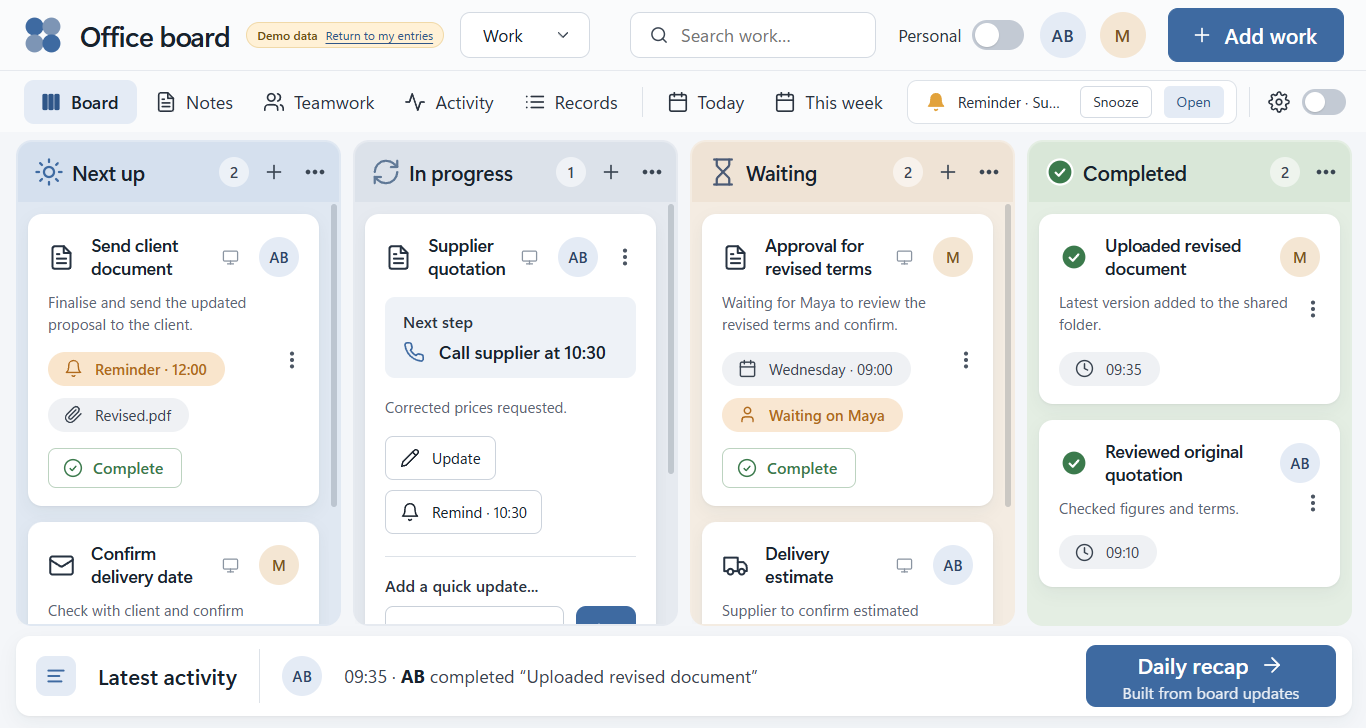
Keep the next step, due date, supporting details and updates alongside the task they belong to.
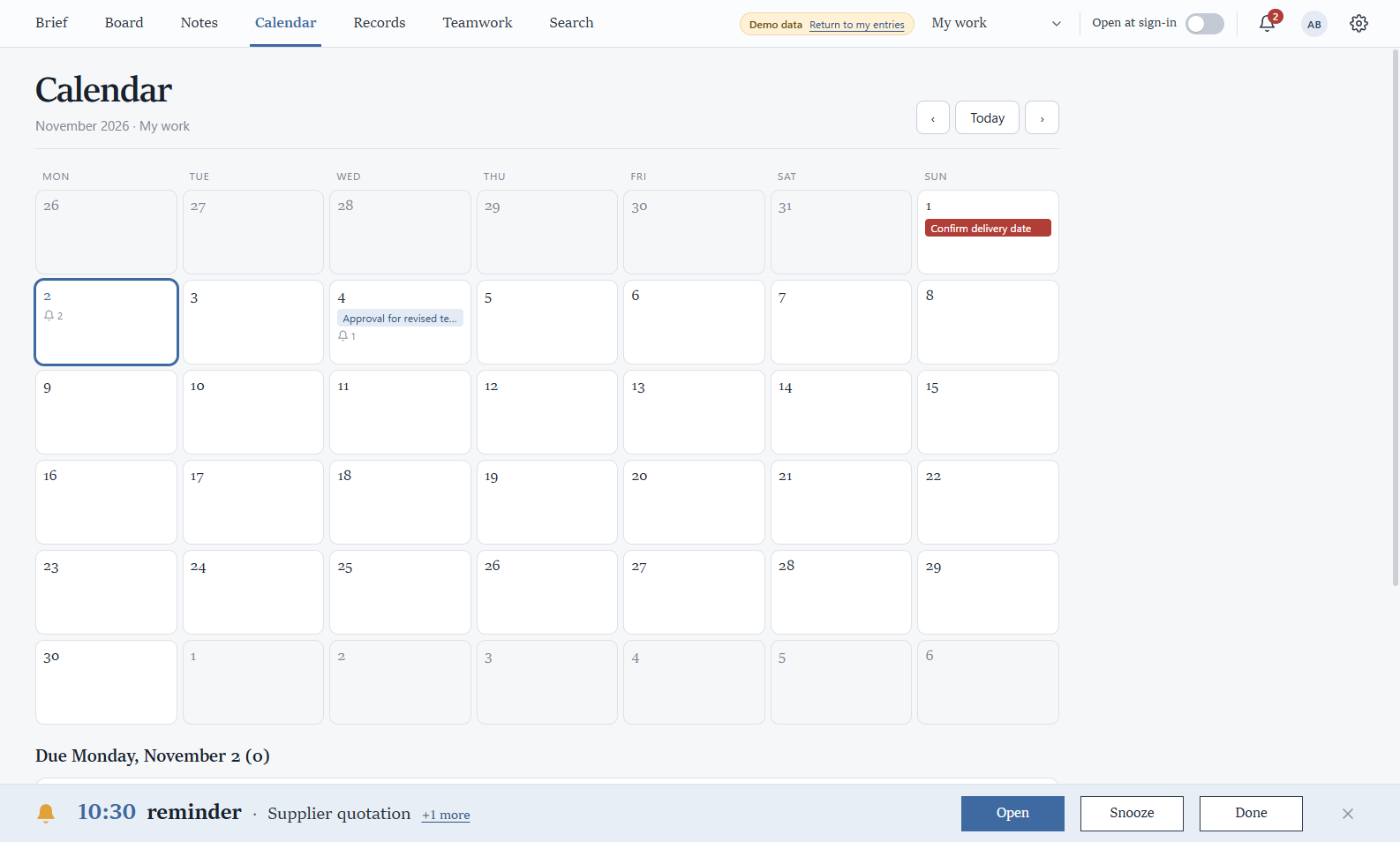
See dated work on the Calendar, keep reminders close and find a comfortable rhythm for the week.
Enter the work once. Keep its story together as the day moves on.
A task, a thought, an issue. Write it down while it’s fresh.
Use the Brief and Board to choose a next step that makes sense.
Add an update, set a reminder, then mark the right task Complete.
Review your daily recap and keep tomorrow’s starting point clear.
Keep just the tasks you choose on your desktop. Move them, resize them, and keep the next step in sight—even with the main window tucked away.
Call the supplier for the revised prices.
Five considered colours, one readable workspace. Your accent carries through the app and desktop notes.
Finish the proposal, then send it for review.
Work together on the same task, or ask someone to take it forward. Always know who is responsible and what happened next.
Explore this with sample people in the offline practice team. Real email invitations and sharing between PCs are not activated yet.
Compare the quotes and agree the next step.
I’ve added the revised delivery dates.
You need the internet once, to download the installer. After that, Noterivo runs on your PC and saves your work there. You don’t need an account or a connection to use it.
Windows 10 or 11 · 64-bit
Download for WindowsDownloads from GitHub · release v0.8.1
1196b30c27410cd75f6236b9f8c399aabd14174fd07635c1be61dc3be0fc199aGet-FileHash .\Noterivo-Setup-0.8.1.exe. On an office PC, ask IT first if installing apps needs approval.Yes. Your notes, tasks, Board, Calendar, reminders and daily recaps work on your Windows PC without a server or an account.
Your local notebook stays on your PC. The Notes library brings quick notes, notes inside tasks and saved daily recaps into one searchable view. Keep a separate backup before moving or updating your notebook.
With close-to-tray enabled, Noterivo continues running in the background and your selected desktop notes remain visible. Choosing Quit from the tray closes the app and its notes.
The practice team lets you explore the flow offline with sample people on one PC. Real sharing across devices and email invitations need a company service and further testing. They are not activated in the current build.
Choose your accent from Muted blue, Slate, Teal, Sage and Lavender. Choose which tasks appear on your desktop, adjust the note sizes, and keep your work and personal spaces separate.
A little less searching.
A little less to keep in your head.
A clearer place to carry on.